Photography, Photoshop and Post-processing
A First Look at Adobe’s Distraction Removal: Dust in Camera Raw - Colour of a Summer Morning in Donegal
If you are signed up to Adobe's Early Access features you can now avail of automatic dust removal in Camera Raw. This isn't available in Lightroom as yet but is in Photoshop through the Camera Raw filter.
A First Look at Adobe’s Distraction Removal: Dust in Camera Raw
If you are signed up to Adobe’s Early Access features you can now avail of automatic dust removal in Camera Raw. This isn’t available in Lightroom as yet but is in Photoshop through the Camera Raw filter.
Here, I’m going to take a look at an image in Lightroom and try out the feature to see if it will make the job of removing excessive dust spots easier.
The Test Image
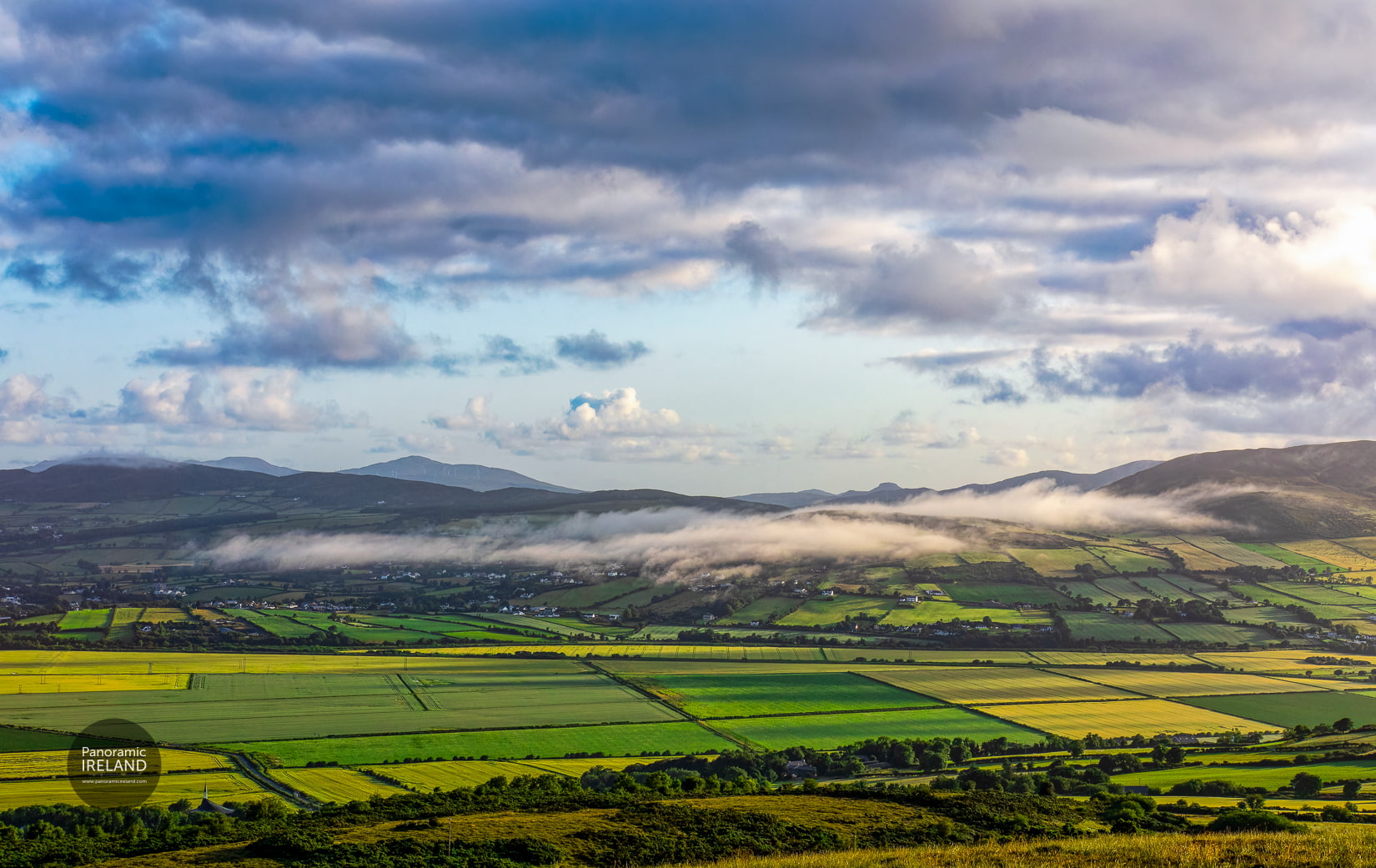
Here is a fine image of a summer morning at 06:30 in County Donegal with wispy low cloud hanging over the low hills on the edge of the valley.
Above a blue sky with cloud, it’s a scene typical of the Irish countryside but in the sky, cloudy portion we see a number of prominent dust spots.
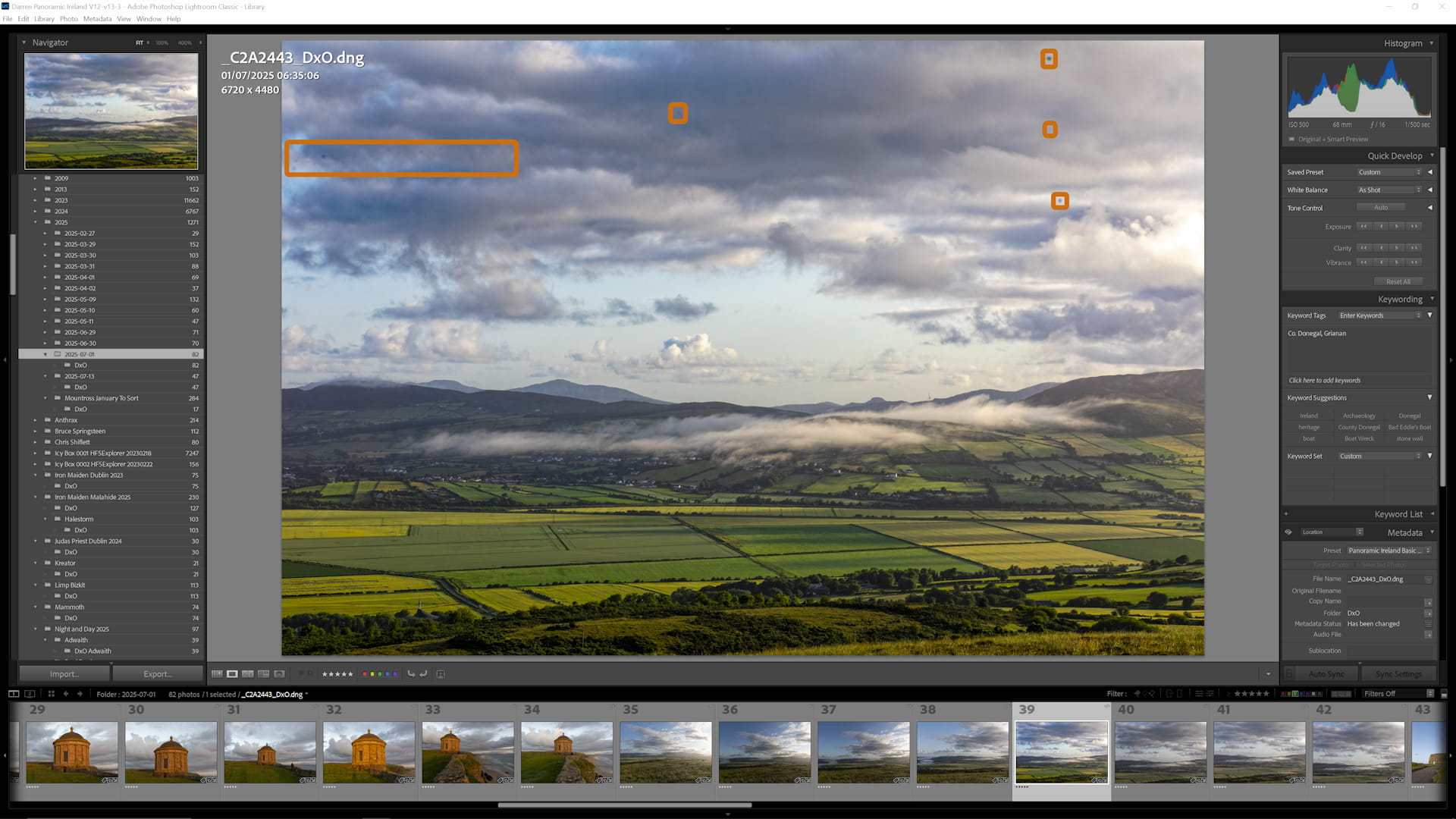
Summer morning at 06:30 in County Donegal with wispy low cloud hanging over the low hills. Notice the prominent dust spots visible in the sky area that we’ll remove using Adobe’s new tool.
Traditional Lightroom Approach
Now I can use the Remove tool in Lightroom (Q - shortcut) and set to Heal to remove these spots but, if there are many then it can become a chore.
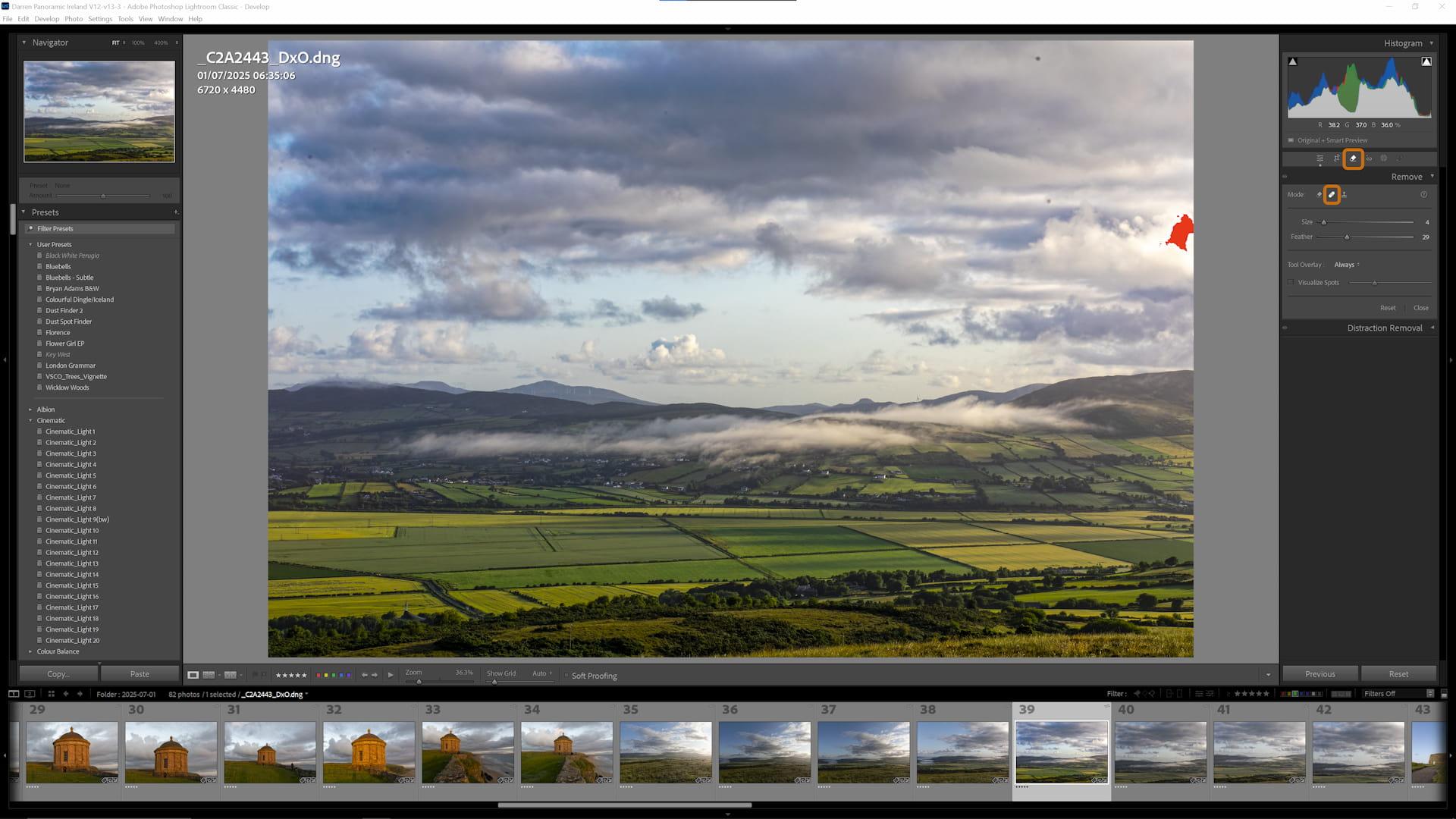
Traditional approach using Lightroom’s Remove tool (Q shortcut) with Heal option. This method requires manually removing each dust spot individually, which can be time-consuming.
Testing Adobe’s New Dust Removal Tool
But let’s try Adobe’s new dust removal tool in Camera Raw to see if it can save some time.
Step 1: Right click on the image and choose Edit In > Edit in Adobe Photoshop 2025…
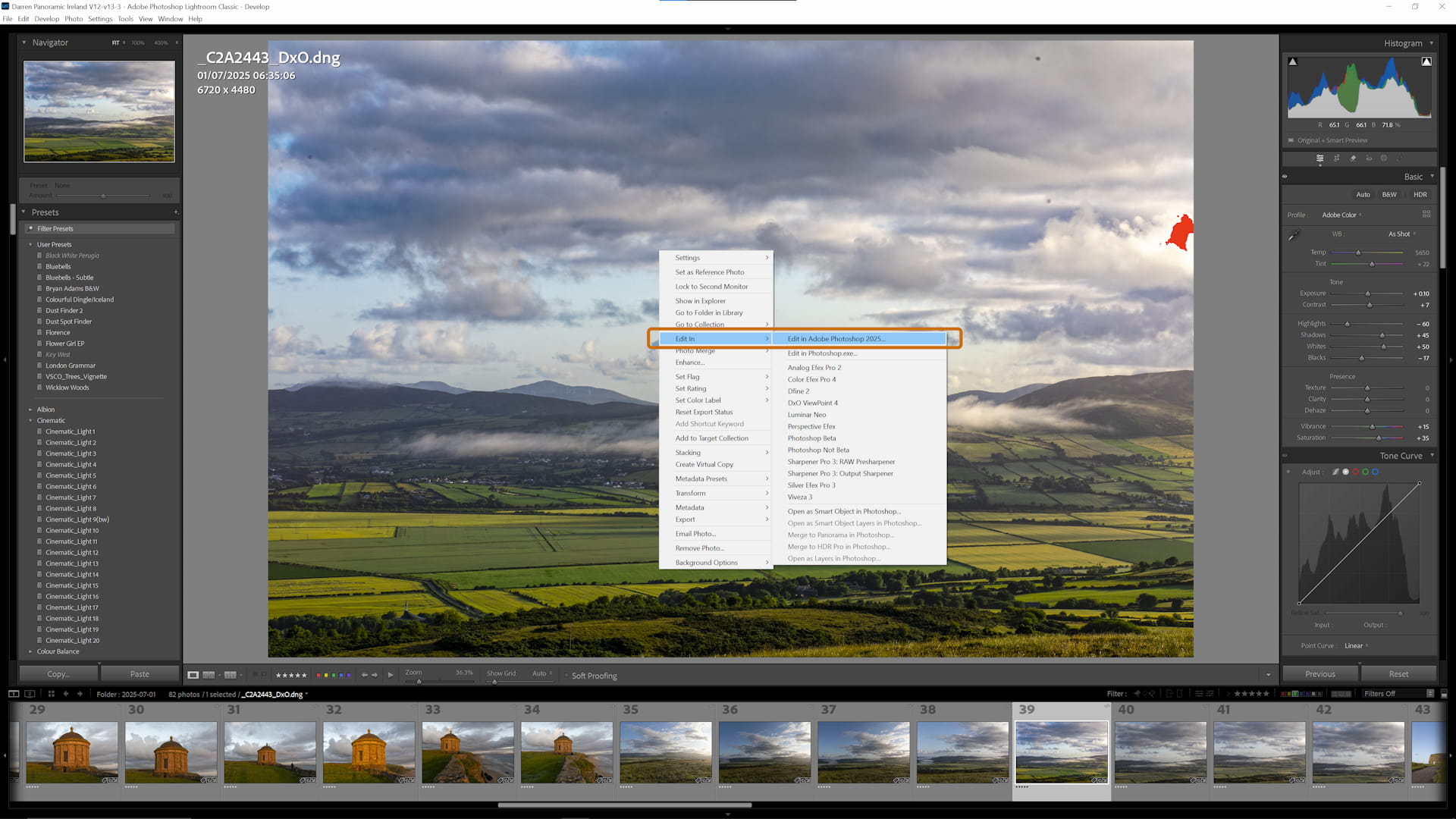
Step 1: Right-click on the image in Lightroom and select ‘Edit In > Edit in Adobe Photoshop 2025’ to access the Camera Raw filter.
Step 2: Shift-CTRL-A or Filter > Camera Raw Filter…
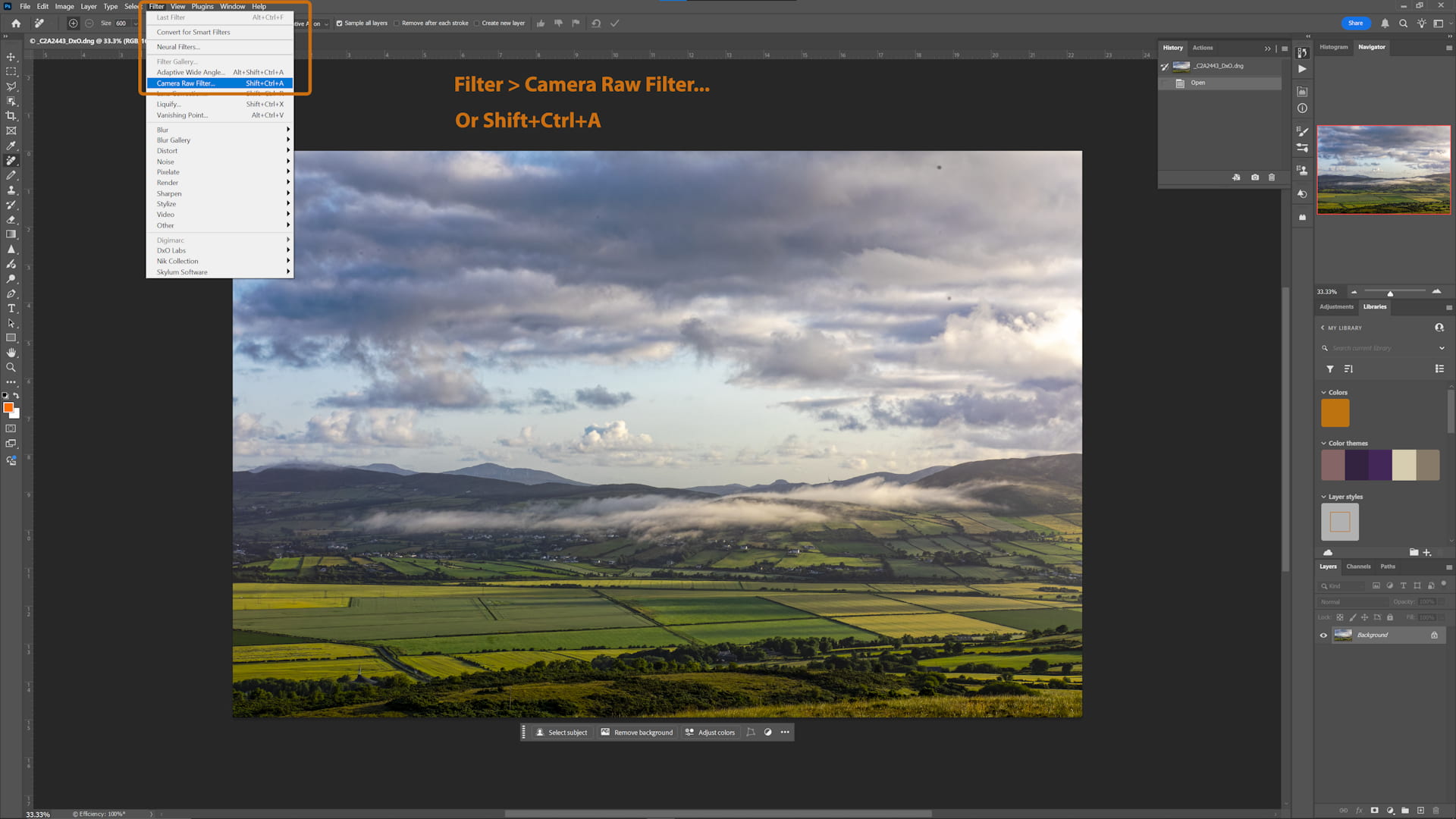
Step 2: Use Shift+Ctrl+A or navigate to Filter > Camera Raw Filter to open the Camera Raw interface within Photoshop.
Step 3: In the right hand side panel choose the Remove tool and then Dust under Distraction Removal
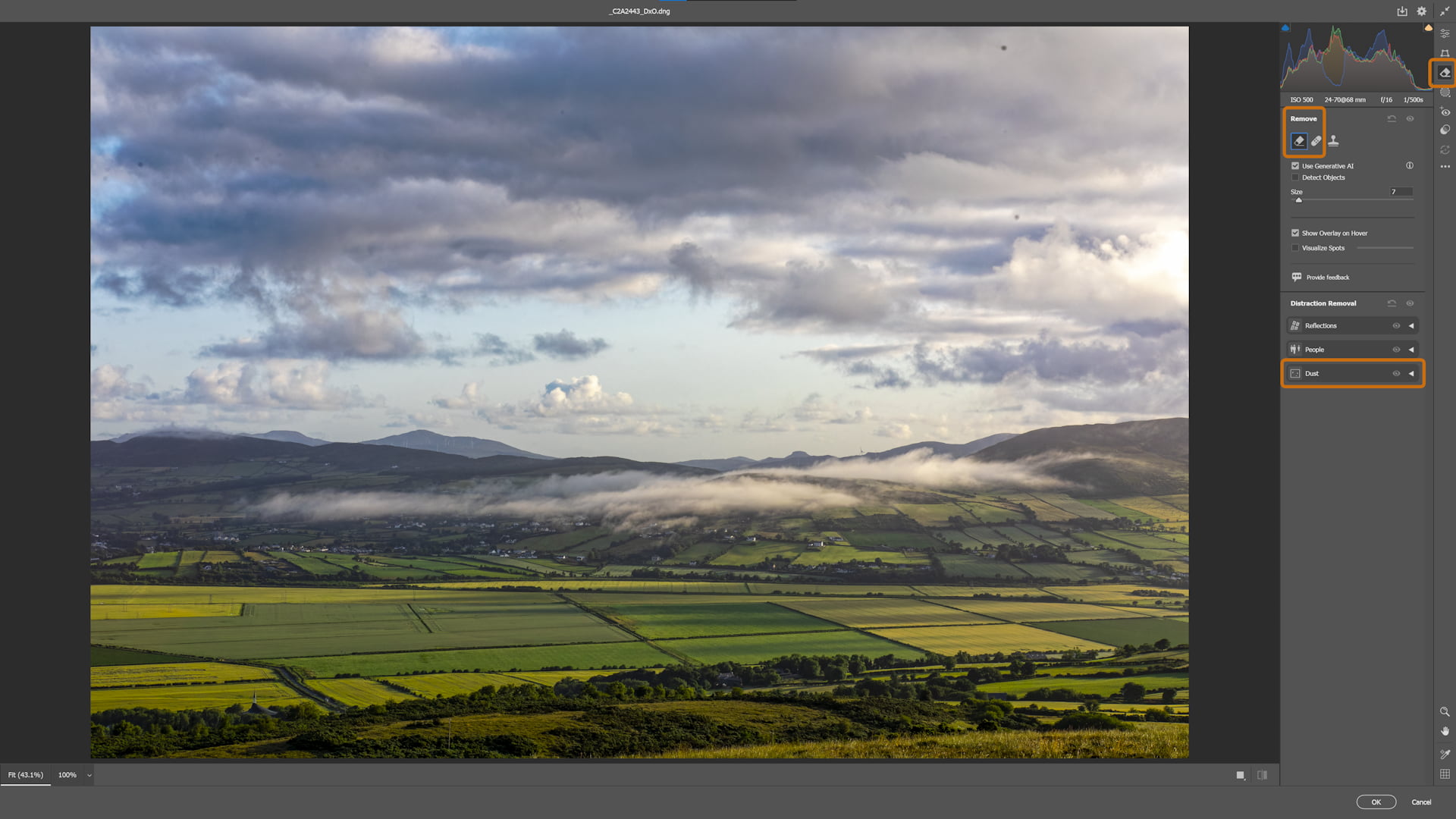
Step 3: In the right panel, select the Remove tool and choose ‘Dust’ under the Distraction Removal options to enable automatic dust detection.
Step 4: Click Apply and in a few seconds the dust spots will disappear.
Clicking into the image will show the dust spots just as in Lightroom and it’s possible to remove or regenerate the individual dust spots.
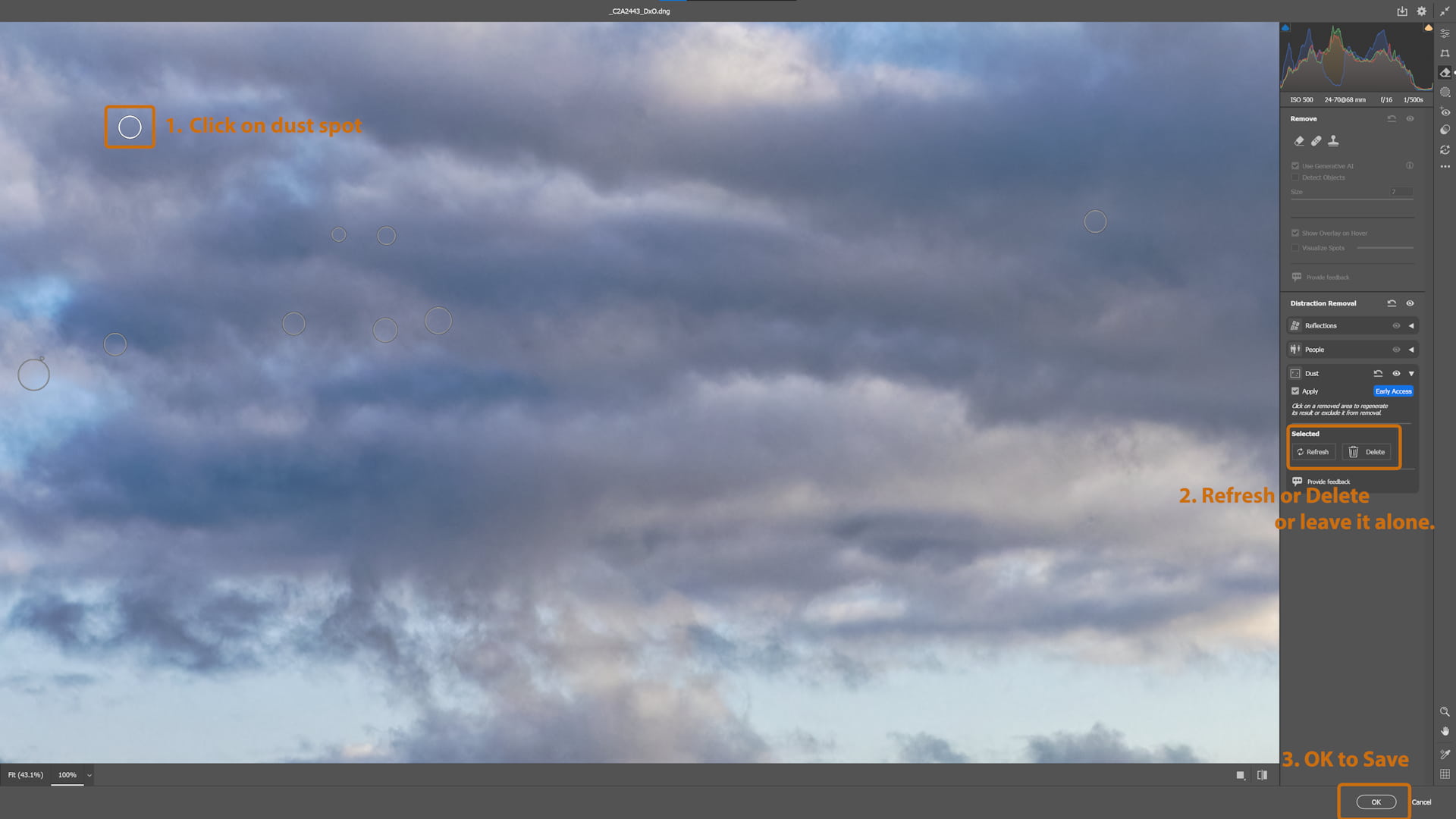
Step 4: After applying the dust removal, you can review individual detections, refresh results, or accept the changes. The interface shows detected dust spots that can be individually adjusted.
Results Assessment
So is it perfect? No, but it’s really rather good. There are a few spots here that were missed.
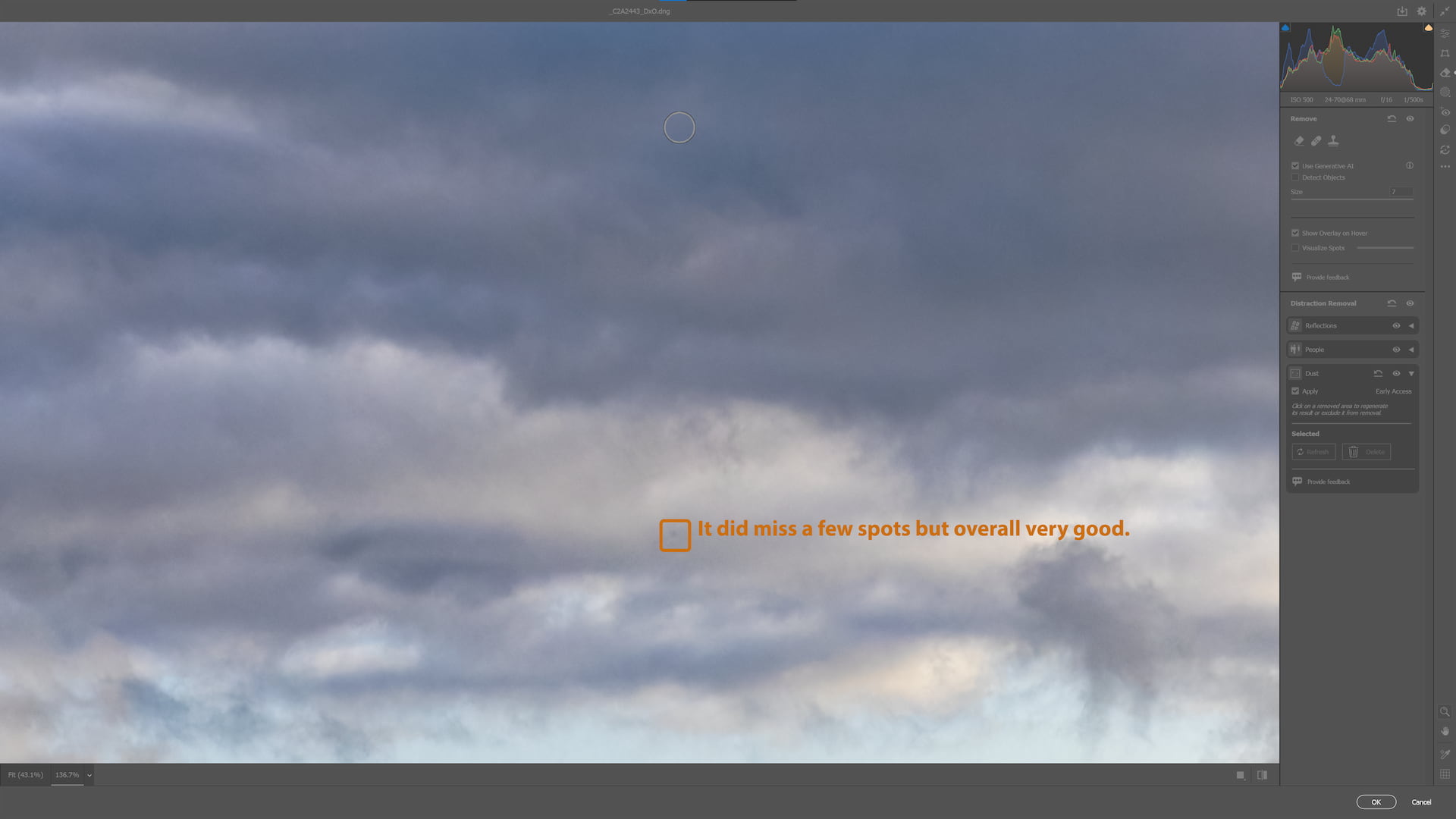
Results after applying Adobe’s dust removal tool. The landscape is now clean with dust spots removed, though a few spots may have been missed and can be manually addressed.
Step 5: I’m going to accept the results here by clicking OK and then saving in Photoshop to bring the image back into Lightroom where I can finish editing and add any missed dust spots on a final check.
Conclusion
Will I continue to use this feature? Yes, and as dust removal becomes a main feature, possibly added to Lightroom it will only continue to improve saving time as a result.

Leave your comment
Comments are emailed to Panoramic Ireland and are not published automatically.
Thanks — your comment is in. We'll reply by email shortly.
Security check failed. Please complete the check below and try again.